

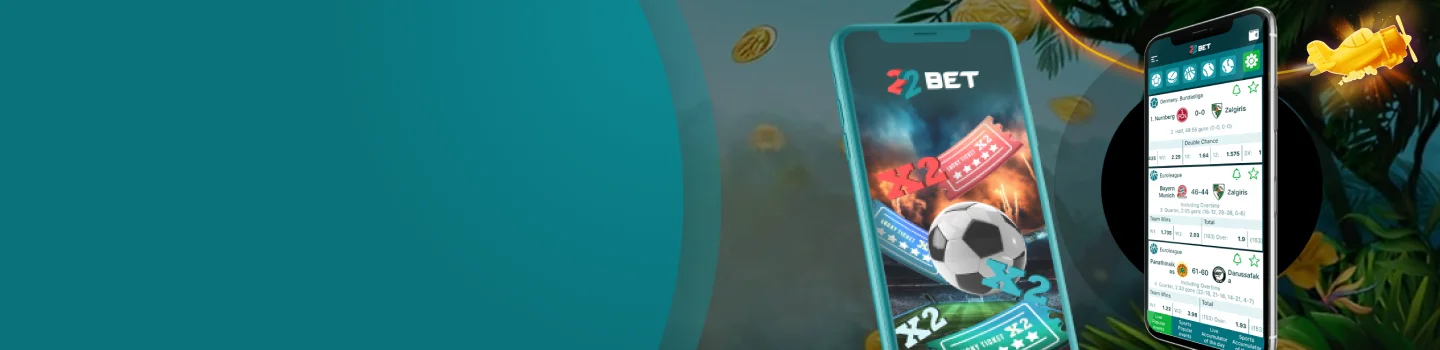
22Bet App
 Download for iOS
  Download for Android
 The biggest reason many people in Uganda prefer betting on a phone is that it is simple and it’s faster. You don’t need to open a laptop, and you don’t need to zoom in and out of pages all day. Everything is built to fit your screen, so placing a bet or starting a game feels simple and stress-free.
On mobile, you still get the full experience. You can browse sports markets, check live odds that change in real time, and explore casino games without feeling lost. The layout is usually designed for quick tapping, meaning you spend less time searching and more time enjoying what you came for.
Another big win is comfort. With a phone, you can bet during a lunch break, follow live matches while travelling, or spin a few slots when you’re relaxing. Just remember one thing: mobile is convenient, so it’s smart to keep your sessions controlled and treat it as entertainment, not a money plan.
Why You Should Get the 22Bet Mobile App for Android
Android is the most common phone type in Uganda, so this section is for you if you use Samsung, Tecno, Infinix, itel, Xiaomi/Redmi, Nokia, OPPO, Vivo, or similar devices.
The 22Bet app download for Android is usually done directly from the official website rather than the Google Play Store. That’s normal for many betting brands, and it does not mean the process is unsafe—what matters is where you get the file from.
If you follow the right steps and use only the official source, installation is straightforward. And once it’s on your phone, switching between sports and casino sections feels quick and smooth.
How to Download and Install?
Installing the 22Bet casino app on Android is easy when you follow this clean step-by-step process:
- Open your phone browser and go to the official 22Bet website
- Tap the App section and choose Android
- Start the download 22Bet APK process and wait until it completes
- If your phone blocks the installation of the 22Bet APK, go to Settings → Security/Privacy and allow installation from unknown sources for your browser (you can turn this off again after)
- Tap the downloaded file, press Install, and wait for it to finish
- Open the app, log in, and you’re ready to bet or play
Quick safety tips (keep these in mind every time):
- Install only from the official website, not from forwarded links or random “APK groups.”
- Don’t share your password or verification code with anyone
- If the app looks strange (weird design, pop-ups, or unusual requests), uninstall and restart using the official source
Once installed, the app usually remembers your last section, so if you love live betting or you’re always in the casino lobby, you can jump back in quickly.
Compatible Devices
The good news is you don’t need an expensive phone to use the app comfortably. What matters most is that your device is reasonably modern, has enough free space, and can keep a stable internet connection.
For a smooth experience, aim for:
- A phone that can still run modern apps without freezing
- Enough storage for the app plus future updates
- A stable internet connection (4G is great, Wi-Fi is even better for live streaming)
- A screen that you can tap comfortably without misclicking odds or stake amounts
If you’re using a budget phone, you can still enjoy the 22Bet mobile experience with a few smart habits:
- Close background apps before live betting or live casino sessions
- Keep at least a few hundred MB of free storage (full storage often causes lag)
- Restart your phone sometimes if it feels slow
- Lower screen brightness slightly to save battery during long live matches
Why You Should Get the 22Bet Mobile App for iOS
If you use an iPhone or iPad, you’ll likely enjoy how clean and smooth the iOS version feels. The menus are typically simple, the pages load quickly, and it’s easy to switch between sports and casino without getting lost.
The 22Bet application on iOS is a great option for players who want a polished mobile experience, especially if you love live betting and want quick access to odds while matches are happening.
How to Download and Install?
On iPhone and iPad, the process is usually straightforward because you follow the App Store flow shown on the official site.
Here’s the clean method to follow, step by step:
- Open your browser and visit the official 22Bet website
- Go to the App section and choose iOS
- Follow the official button that takes you to the App Store
- Tap Get and confirm with Face ID, Touch ID, or your password
- Wait for installation, then open the app and log in
Compatible Devices
iOS compatibility is usually simple. If your iPhone or iPad can install modern apps smoothly and has enough storage space, you’re good to go.
For the best experience, make sure:
- Your device still supports current iOS app updates
- You have enough free storage for installation and updates
- Your internet is stable (especially for live betting and live dealer games)
- Your phone isn’t overheating or lagging badly during heavy use
If your device meets those basics, it’s easy to download 22Bet and enjoy the same key features you’d expect on a desktop, just in a format made for your screen.
RegistrationThe Great Features of the 22Bet App
The app is designed to feel like a full platform, not a “small version” of the website. It’s built for speed, simple navigation, and easy control of your account.
Here are the most useful features players usually enjoy:
- A clear sports menu with quick access to popular leagues and events
- Live betting tabs that update odds while matches are ongoing
- A casino section with multiple game categories (slots, tables, and live games)
- Search tools to find teams, matches, or games faster than scrolling
- A simple bet slip that lets you review selections before confirming
- Account tools like balance view, bet history, and basic profile settings
- Quick access to deposits and withdrawals in the cashier area
- Customer support access, so you can ask questions when needed
One habit that makes the app experience 10x better: always re-check your bet slip before confirming. It takes five seconds and saves you from painful mistakes like choosing the wrong market, stake, or match.
Registration Process via the 22Bet App
Creating an account using the app is usually quick, but accuracy matters. If you enter random details now, you may struggle later when you want to withdraw.
Here’s a clear sign-up flow most beginners find easy:
- Open the app and tap Register
- Choose your sign-up method (email or phone, depending on what’s available)
- Fill in your details carefully and create a strong password
- Agree to the terms, then tap to create your account
- Confirm your account using the verification code/link you receive
- Log in and explore the platform (or deposit when you’re ready)
The 22Bet Mobile Website Version
Not everyone wants to install an app, and that’s totally fine. The mobile website version is a strong alternative because it adjusts to your phone screen and still gives you the main sections.
The mobile site is perfect if:
- Your phone storage is full
- You’re using a temporary device
- You want quick access without installing anything
- You prefer browsing on a mobile browser instead of an app
It also works as a backup plan. If your app needs an update and your internet is slow, the mobile site can help you log in, check odds, place a quick bet, and move on.
Mobile Games on the 22Bet UG App
Mobile gaming is where things get really fun because the controls are designed for your thumb, not a mouse. Buttons are usually bigger, menus are simpler, and games are built to fit the screen without feeling cramped.
Common casino game types you can enjoy on mobile include:
- Slots that are quick and easy to learn
- Table games that suit calm, strategy-style play
- Live dealer games that give a real casino feel
- Fast game-show style titles that keep the energy high
If you want the smoothest mobile gaming sessions, do this:
- Start with low stakes when trying a new game
- Use Wi-Fi for live dealer games to reduce buffering
- Avoid playing when you’re walking or rushing (misclicks happen fast)
- Keep your phone charged—low battery mode can slow performance
Mobile Betting on the 22Bet UG App
Mobile betting is powerful because it lets you act quickly—especially during live games. But because it’s fast, the best mobile bettors are the ones who stay calm and avoid rushing.
Here are practical ways to bet smarter on your phone:
- Use favourites to keep your teams and leagues easy to find
- Stick to markets you understand (match winner, over/under, both teams to score)
- Double-check your bet slip before confirming (match, market, odds, stake)
- Don’t bet immediately after a big moment like a goal or red card—pause first
- Set a session limit (time and money) so betting stays fun and controlled
A simple rule that helps a lot: if you feel angry or desperate to recover losses, close the app and take a break. Most betting mistakes happen when emotions take control.
Frequently Asked Questions
Is the app free to install in Uganda?
Is it better to use the app or the mobile website?